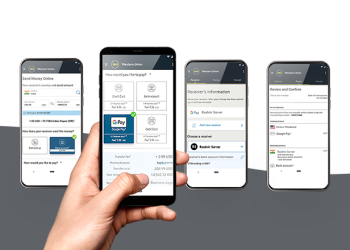
M-Pesa is a popular mobile money service in Kenya, offering a quick and convenient way to send money to different financial institutions, including KCB. If you need to send money from your M-Pesa account to your KCB account, follow these simple steps to complete the transfer efficiently.
Step-by-Step Process to Send Money from M-Pesa to KCB
To send money from your M-Pesa account to your KCB account, you need to use the M-Pesa Paybill service. Here’s how you can do it:
- Go to M-Pesa Menu:
Open your phone and navigate to the M-Pesa menu. Dial *234# or open the M-Pesa app on your phone. - Select ‘Lipa na M-Pesa’ Option:
From the M-Pesa menu, choose the Lipa na M-Pesa option to initiate the payment process. - Choose ‘Paybill’:
Next, select the Paybill option. This will allow you to pay for various services, including transferring money to your bank account. - Enter KCB Paybill Number:
For KCB, the Paybill number is 522522. Enter this Paybill number to proceed with the transaction. - Enter Your KCB Account Number:
After entering the Paybill number, you’ll be prompted to enter your KCB account number. This is the number linked to your KCB bank account. Ensure you input the correct account number to avoid errors. - Enter the Amount to Send:
Specify the amount of money you wish to send to your KCB account. Double-check the amount before proceeding. - Confirm the Details:
After entering the amount, confirm the payment details, including the Paybill number, account number, and the amount to be sent. Make sure everything is correct. - Enter M-Pesa PIN:
To authorize the transaction, you will be asked to enter your M-Pesa PIN. This step ensures that the transaction is secure and only authorized by you. - Transaction Confirmation:
After entering your PIN, you will receive a confirmation message from M-Pesa. This confirms that your money has been successfully transferred to your KCB account.
Benefits of Sending Money from M-Pesa to KCB
Sending money from M-Pesa to KCB offers several benefits:
- Convenience: You can transfer money at any time and from anywhere, as long as you have access to your M-Pesa account.
- Speed: The transaction is processed instantly, allowing you to access your funds in your KCB account immediately.
- Security: M-Pesa transactions are encrypted and secured, giving you peace of mind when transferring money.
- No Need for Bank Visits: You don’t have to physically go to a KCB branch to deposit money. The transfer can be done from the comfort of your home.
Fees Involved in Sending Money from M-Pesa to KCB
While sending money from M-Pesa to your KCB account is convenient, there are some charges associated with the transaction. The fees vary based on the amount you want to send. Here’s an example of the typical fees you might encounter:
- Transaction fees for Paybill services may range from Ksh 10 to Ksh 100, depending on the amount transferred.
- Bank charges by KCB: There might be a small charge for receiving the transfer into your KCB account, but this is typically minimal.
It’s always best to check the current fees with M-Pesa and KCB before initiating the transfer to avoid surprises.
Tips for a Smooth Transaction
To ensure that your money transfer from M-Pesa to KCB goes smoothly, consider the following tips:
- Ensure the Paybill Number is Correct: Double-check the Paybill number (522522 for KCB) to avoid mistakes that could result in the transfer failing.
- Confirm Account Details: Verify that you have entered your KCB account number correctly to prevent sending money to the wrong account.
- Check for Sufficient Balance: Ensure that your M-Pesa account has enough funds to cover both the amount you want to transfer and any associated fees.
- Use the Correct M-Pesa PIN: If you enter an incorrect PIN, your transaction will fail. Be sure to enter your PIN accurately.
Conclusion
Sending money from M-Pesa to your KCB account is quick, secure, and easy. By following these simple steps, you can transfer funds to your bank account anytime and anywhere. Remember to verify all details before finalizing the transaction to ensure a smooth and successful transfer.