Samsung One UI 7, built on Android 15, marks one of the biggest updates in Samsung’s software history. While it brings several visible improvements—like smoother animations, better AI tools, and enhanced privacy—there’s also a long list of hidden features that many users overlook. These small but powerful tools elevate the overall experience, helping you get more out of your Galaxy device.
Whether you’re using the Galaxy S25 Ultra, the Galaxy Z Fold5, or even a mid-range Galaxy A device, One UI 7 introduces hidden gems designed to make your phone faster, smarter, and more personalized. This comprehensive guide explores the top 10 hidden features in One UI 7 that every Samsung user should try. These features go beyond the surface, unlocking the true potential of Samsung’s ecosystem for both productivity and everyday convenience.
1. Galaxy AI Integration Across Apps
One of the standout aspects of One UI 7 is its seamless integration with Galaxy AI. Beyond the obvious translation and summarization tools, there are several subtle AI upgrades. For instance, your phone can now recognize context when typing or replying to messages. It can suggest quick replies, summarize emails, or automatically translate text within any app. The AI engine also learns your daily usage patterns—such as when you open social apps or check weather updates—and intelligently preloads them to save time. This invisible background learning makes the device feel faster and more responsive the more you use it.
2. Advanced Lock Screen Shortcuts
While previous versions allowed limited lock screen customization, One UI 7 takes it to the next level. You can now add custom app shortcuts on the lock screen, like your favorite messaging or camera app. Additionally, Samsung has added a Smart Lock Screen Mode that dynamically changes shortcuts based on your routine. For example, it can show navigation shortcuts in the morning or music controls during your commute. This subtle improvement makes daily interactions smoother and more intuitive.
3. Smart Battery Protection 2.0
Samsung’s Smart Battery Protection has been redesigned in One UI 7 to extend battery lifespan even further. It uses AI to analyze your charging behavior, optimizing how your phone replenishes power. The system automatically limits charging to 85% overnight and resumes full charging right before you wake up. Moreover, it can detect when you’re using wireless chargers or power banks, adjusting charging speed accordingly to prevent overheating. This feature works quietly in the background but significantly improves battery health over time.
4. Improved Multi-Window and Pop-Up View
Multitasking gets a serious boost with Enhanced Multi-Window in One UI 7. You can now drag and drop any app from the recent apps screen into split-screen mode. The new floating app bubbles also let you run multiple pop-up windows simultaneously, resizing them freely for improved multitasking. Samsung’s refinement ensures that even resource-heavy apps, like video editors and browsers, run smoothly together. This feature is especially useful on foldables like the Galaxy Z Fold and tablets, but it works equally well on flagship smartphones.
5. Customizable Edge Lighting and Notifications
The Edge Lighting feature, once popular for visual alerts, returns with more customization in One UI 7. You can now assign unique lighting effects for different apps or contacts. The feature also syncs with the Always-On Display, allowing subtle light animations even when the phone is locked. Combined with Notification Smart Filters, users can prioritize alerts—filtering out spam or grouping similar notifications. The improved lighting effects not only look stylish but also make it easier to notice important alerts without unlocking the phone.
6. Enhanced Security and Privacy Dashboard
One UI 7 introduces a comprehensive security and privacy hub, combining features like app permissions, biometric security, and safe browsing. A new “Privacy Insight Report” shows how often apps access your camera, microphone, and location data. You can instantly revoke permissions or set time-based access. The new Auto Permission Reset automatically disables permissions for unused apps after 30 days. For sensitive documents and photos, Samsung has upgraded the Secure Folder with enhanced encryption and quick biometric unlock. These features ensure top-level data protection without compromising ease of use.
7. Smarter Modes and Routines
Samsung’s Modes and Routines app becomes far more powerful in One UI 7. It now integrates with AI to predict your habits. For instance, if you usually switch to “Work Mode” at 8 AM, the system automatically adjusts screen brightness, turns off social notifications, and launches productivity apps. The update also includes new condition triggers like battery level, Wi-Fi network, or time zone. You can even create a Sleep Mode Routine that dims the wallpaper, enables eye comfort, and plays ambient sounds. This smart automation saves time while optimizing your daily workflow.
8. Enhanced Samsung Keyboard and Typing Tools
Typing gets smarter with the upgraded Samsung Keyboard in One UI 7. It now includes AI Grammar Check, Tone Adjustment, and Multilingual Prediction. The keyboard learns your writing style and provides context-aware suggestions, making communication faster and more natural. The integrated Live Translate feature supports two-way translation across messaging apps, helping users chat effortlessly in different languages. You can also customize the layout, fonts, and shortcuts more deeply than before, making it both practical and personal.
9. Hidden Gallery AI Features
The Samsung Gallery app in One UI 7 hides several powerful editing tools powered by Galaxy AI. Beyond basic edits, you can now remove reflections, shadows, or background objects with a single tap. The Generative Edit mode allows you to move or resize subjects intelligently—filling gaps seamlessly. Additionally, a new Photo Remaster 3.0 feature enhances old photos and videos automatically, improving sharpness and dynamic range. AI-based face recognition has also been refined, allowing for better sorting of people and pets in albums. These hidden tools turn your phone into a professional editing studio.
10. Redesigned Quick Settings and Control Center
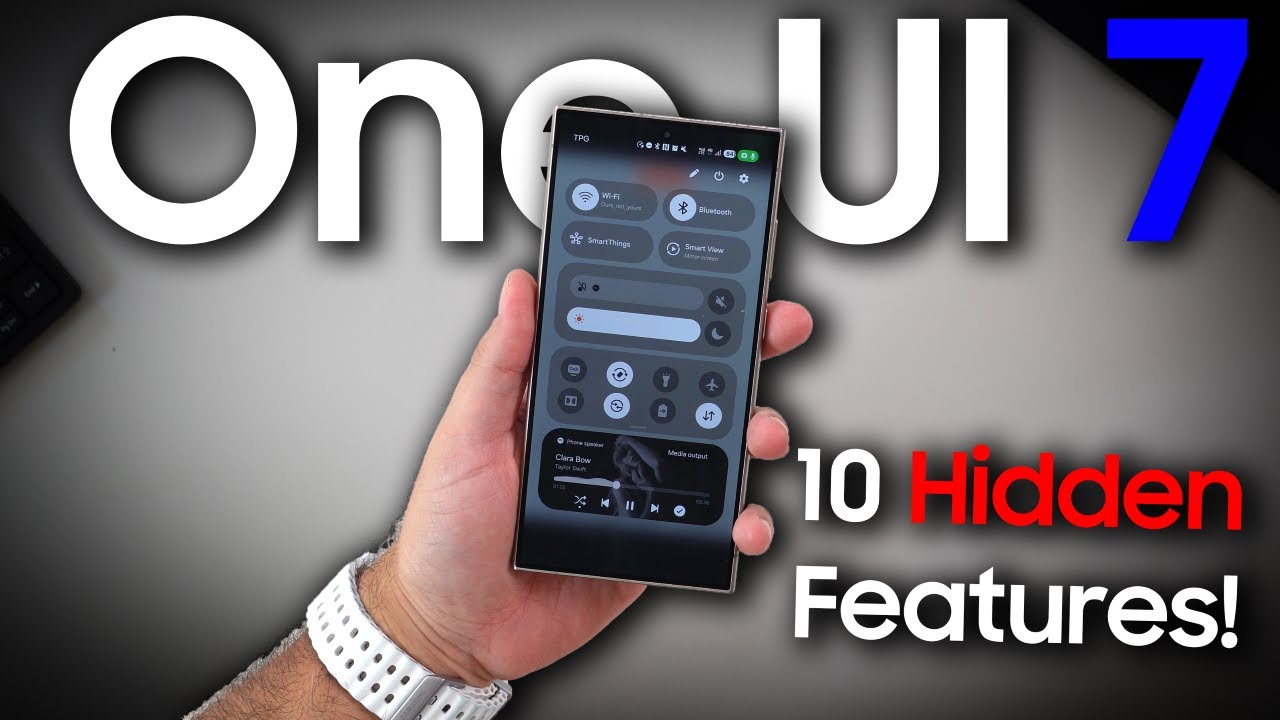
One UI 7’s Quick Settings Panel has received a visual and functional overhaul. The new layout makes it easier to access Wi-Fi, Bluetooth, and display settings with fewer taps. Long-pressing toggles now reveals additional customization options, such as network priority or refresh rate selection. There’s also a hidden feature called Quick Access Drawer, which lets you pin frequently used toggles and device controls. This redesigned interface is cleaner, faster, and more intuitive, especially for users juggling multiple devices in the Galaxy ecosystem.
Bonus: AI-Enhanced Finder and Smart Suggestions
A lesser-known but useful addition is the improved Finder Search Tool. It now uses AI to search across all apps, messages, and files simultaneously. For example, typing a keyword like “meeting” pulls up related calendar events, documents, and conversations. Galaxy AI also learns from usage patterns to display Smart Suggestions—recommending apps, shortcuts, or contacts based on time, location, and activity. This deep integration transforms One UI 7 into a proactive assistant that understands your behavior.
Why These Features Matter
These hidden features collectively elevate One UI 7 beyond a regular Android skin. Samsung’s focus on intelligence, privacy, and customization ensures that every interaction feels smoother and more personal. The fusion of Galaxy AI with One UI creates a smartphone experience that adapts to each user’s lifestyle. From enhanced battery optimization to smarter multitasking, these upgrades improve both convenience and performance.
Whether you’re a casual user or a tech enthusiast, exploring these hidden gems will help you unlock the full potential of your Galaxy device. Samsung’s commitment to refining the user experience keeps One UI ahead of competitors, proving that innovation doesn’t always have to be flashy—it can also be deeply functional.