
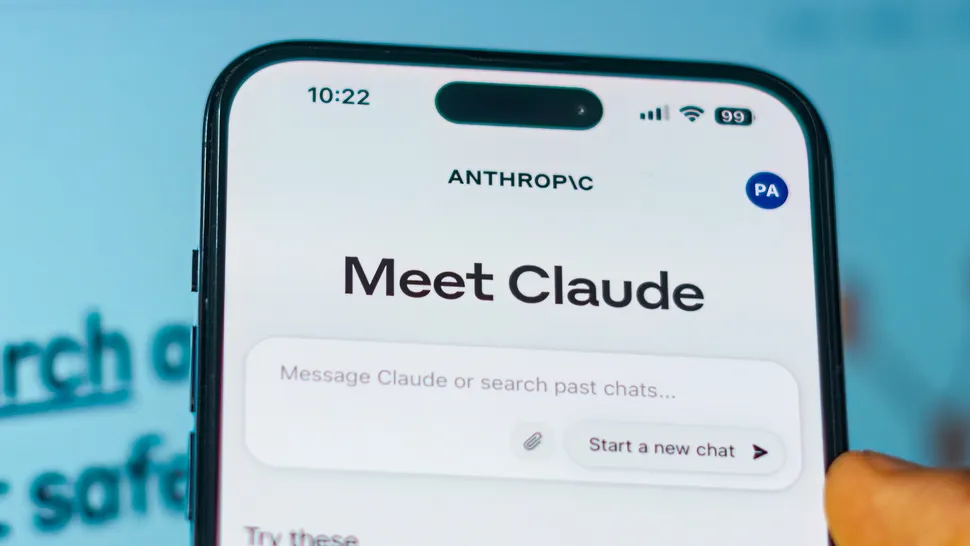
Claude is one of those AI tools that feels simple at first and then suddenly surprises you. You start by asking a basic question, and next thing you know, you are building a mini web app, designing a themed event, or turning a vague idea into a structured plan you can actually use.
The secret is not magic features. It is the way you prompt.
Claude responds best when you give it a clear role, a specific output, and a few constraints that shape the result. If you do that, it stops acting like a general chatbot and starts behaving like a focused collaborator.
Below are five high-impact prompts you can copy, paste, and customize. Each one is designed to produce something practical and impressive, not just a wall of text.
1) The Event Architect Prompt: Build a Full Mystery Night Plan
If you want Claude to plan something fun and detailed, you need to ask for structure, materials, pacing, and a clear “how to run it” guide. This turns Claude from idea generator into event producer.
Use this prompt:
Design a murder mystery night for 6–8 players set in a 1920s mansion.
Include:
- A one-paragraph story setup that I can read aloud
- 8 characters with short bios, secrets, motives, and relationships
- A clear victim profile and timeline of events
- 14 clues, 6 red herrings, and where each clue is discovered
- A host guide with phases (intro, rounds, reveals) and timing for a 90-minute game
- Printable-style handouts: character cards and clue cards
- A final twist that feels fair, plus optional alternate endings
Make it immersive, easy to run, and not too violent or graphic.
How to level it up after the first output:
Ask Claude to generate “print-ready” text blocks you can paste into a document, then request variants like “make it funny,” “make it serious,” or “make it easier for first-time players.” You can also ask for a themed food and music list that fits the 1920s vibe.
2) The Visual Story Prompt: Generate a Mini Animation You Can Actually Use
Claude can produce simple interactive visuals and animations (for example, HTML and CSS, sometimes with JavaScript). To get a good result, you must specify duration, cycles, and what changes over time.
Use this prompt:
Create a simple browser animation using HTML, CSS, and JavaScript that I can run by saving one file as index.html.
Scene: a castle landscape that changes across time and seasons.
Requirements:
- A full day-night cycle lasts 10 seconds (sunrise, day, sunset, night)
- Every 20 seconds, the season changes (spring, summer, autumn, winter)
- Each season changes the environment clearly (flowers, greener trees, falling leaves, snow)
- Include subtle weather effects (light rain in spring, heat haze in summer, wind in autumn, snow in winter)
- Smooth transitions, no flashing
- Use clean code and comments so I can edit colors and timing easily
After the code, give me a short section titled “Easy Custom Tweaks” explaining what to change for speed, colors, and extra effects.
How to level it up:
After you test it, tell Claude what feels off. For example: “The night is too dark,” “The snow covers everything too fast,” or “Make the castle bigger and centered.” Claude improves fast when feedback is specific.
3) The Personal Productivity App Prompt: Build a Tool That Matches Your Real Life
A lot of “productivity apps” fail because they treat every task the same. This prompt forces Claude to design around impact, focus, energy, and burnout prevention.
Use this prompt:
Build a minimal productivity web app I can run locally in a browser (single HTML file with CSS and JavaScript).
Goal: help me do high-impact work without burnout.
Features:
- A daily “Top 3” focus list that resets each day
- A quick way to label tasks by impact (High, Medium, Low) and effort (Small, Medium, Large)
- A focus timer (25 and 50 minutes) with gentle break reminders
- A stress check-in slider (1–5) that changes suggestions (lighter tasks when stress is high)
- A weekly summary showing what I completed and what I avoided
Design style: modern, clean, mobile-friendly, no clutter.
Output: give me the full code, then explain how to add or remove features.
How to level it up:
Once Claude gives you the app, run it and request upgrades like cloud sync, a streak system, or a “shutdown routine” that plans tomorrow in 2 minutes. If you want it tailored to your schedule, tell Claude your routine and ask it to set default focus blocks.
4) The Build-and-Play Game Prompt: Make a Game You Can Test in the Browser
The best way to get a fun playable result is to define mechanics, win and lose conditions, difficulty scaling, and controls. Otherwise, you get a half-finished concept.
Use this prompt:
Create a simple stealth game that runs in the browser using one HTML file (HTML, CSS, JS).
Gameplay: the player must cross from left to right without touching laser beams.
Requirements:
- Arrow keys or on-screen controls for mobile
- At least 3 levels that increase difficulty
- Lasers move in patterns (horizontal, vertical, pulsing)
- Clear win and lose states, with a restart button
- Simple visuals, smooth performance, no external assets
- Add a short tutorial screen at the start
After the code, give me a section called “How to Customize” with ideas for new obstacles and skins.
How to level it up:
Tell Claude what type of game feel you want: slow and strategic, fast reaction-based, or puzzle-like. Also ask for accessibility options like slower speed mode and high-contrast visuals.
5) The Cost Estimator Prompt: Turn a Photo Into a Budget Breakdown
Claude can help you estimate costs at a “planning” level. The trick is to ask for assumptions, ranges, and options. You want a breakdown you can actually use, not one vague number.
Use this prompt:
I am uploading an image of a room setup.
Estimate a realistic cost range to recreate it.
Rules:
- List every major item you can identify (sofa, rug, coffee table, lighting, wall art, curtains, plants, decor)
- Give three budget tiers: budget, mid-range, premium
- Explain assumptions for each tier (materials, brand level, size, quality)
- Include optional costs like delivery, installation, and taxes
- If you are unsure about an item, say so and offer two plausible alternatives
Output format: itemized table, then a short summary of the biggest cost drivers.
How to level it up:
After the first estimate, ask: “How can I reduce cost by 30% without changing the vibe?” Claude will usually identify the best swaps, like alternative rug materials or lighting choices.
A Simple Formula to Improve Any Claude Prompt
If you want better results across everything you do in Claude, use this structure:
Role + Goal + Inputs + Constraints + Output format + Quality bar
Example:
You are a UX designer. Create a mobile-friendly layout for a VPN guide. Use a clean style. Keep it readable. Output as headings and bullet points. Avoid jargon. Include a checklist.
That one pattern consistently upgrades your responses because Claude has less guessing to do.
ALSO READ:How to Write Powerful ChatGPT Prompts That Deliver Better Results Every Time


