
As remote work and virtual meetings became the global norm, video conferencing platforms like Zoom and Skype quickly dominated the market. Businesses, schools, startups, and even families turned to these tools to stay connected during lockdowns and beyond. However, growing concerns about data privacy, security policies, and platform ownership created demand for locally developed alternatives.
One such emerging solution from India is Say Namaste, a web-based video conferencing platform built to offer a simple, accessible alternative to global players. Developed by Mumbai-based technology company Inscripts, Say Namaste positions itself as a homegrown communication tool designed for virtual meetings, team discussions, and online collaboration.
Here is a detailed look at what Say Namaste is, how it works, and how you can use it for your next video meeting.
What Is Say Namaste
Say Namaste is a browser-based video conferencing tool created by Inscripts, a Mumbai technology company known for building real-time communication solutions. Inscripts previously developed CometChat, a chat integration product used by over 50,000 websites worldwide.
Unlike traditional conferencing apps that require software installation, Say Namaste initially launched as a web-only platform. This means users can host or join meetings directly from their browser without downloading any desktop software. Smartphone applications were also reported to be under development to expand accessibility.
The platform gained attention as an Indian-developed alternative to international tools like Zoom and Skype, especially during periods when privacy and data security became key concerns for users and organizations.
Why Say Namaste Gained Attention
The rapid rise of Zoom during global lockdowns showed how important simple and scalable video conferencing tools had become. Zoom stood out because of its ease of use, minimal setup requirements, and ability to host large meetings.
However, discussions around data handling policies and the origin of certain platforms encouraged users to explore local alternatives. Say Namaste entered the conversation as a product built within India, appealing to individuals and organizations looking for domestic technology solutions.
The combination of a web-first approach, simple interface, and Indian origin contributed to its early popularity.
How to Use Say Namaste for Video Meetings
Using Say Namaste is straightforward. Since it operates primarily through a web interface, you only need a browser and a stable internet connection.
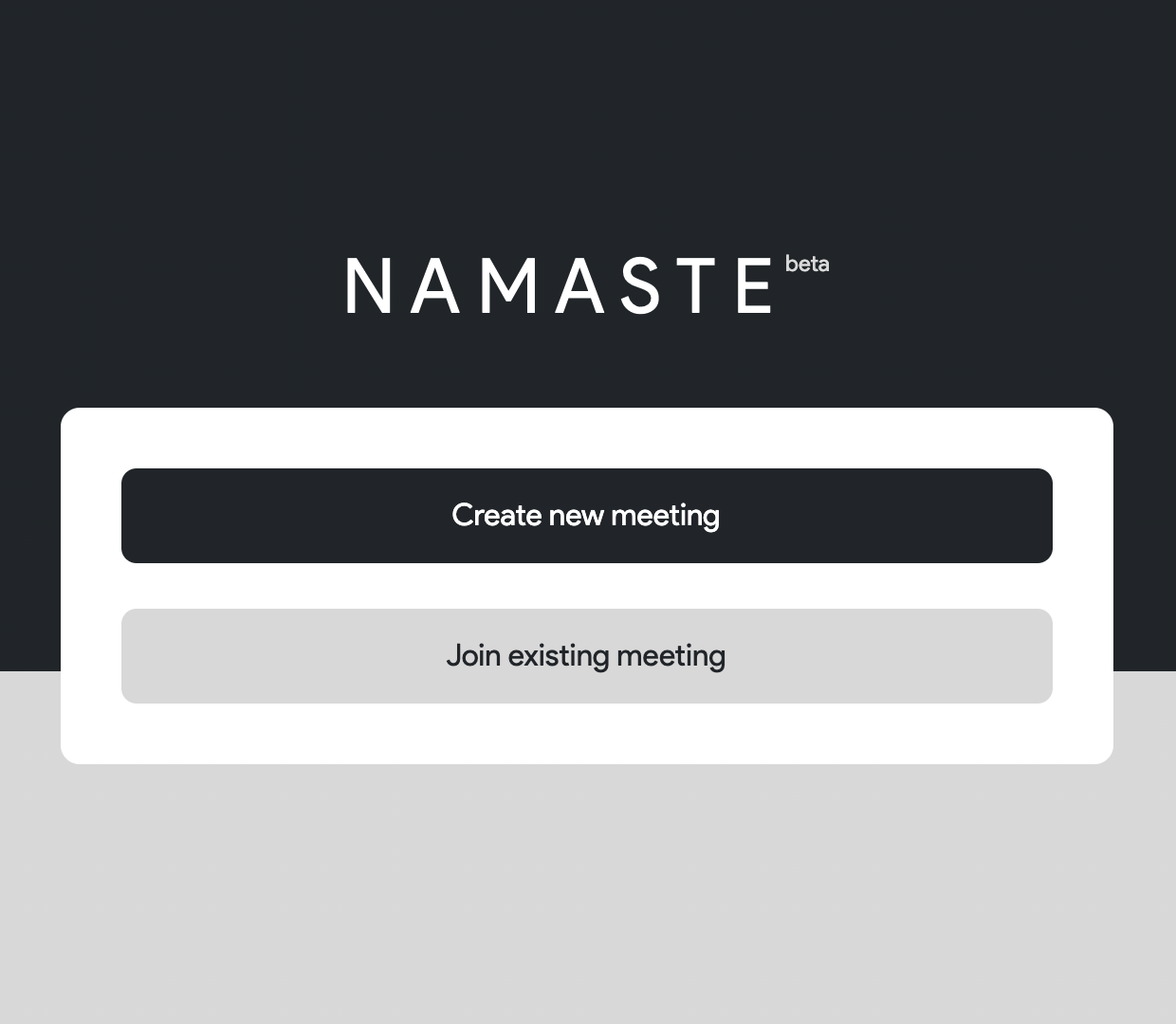
To begin, open your browser and go to the official Say Namaste website. On the homepage, you will see two primary options. One option allows you to create a meeting. The other allows you to join an existing meeting.
If you want to start a new meeting, select the option to create one. You will be prompted to enter your name. Once you proceed, the system automatically generates meeting details that you can share with participants.
These meeting details typically include a meeting URL, a meeting ID, and a unique code. Anyone who wants to join must use the meeting ID and code to enter the session.
If you are joining a meeting hosted by someone else, select the join option and enter the meeting ID along with the provided code. After entering the required details, you will be directed to the meeting room.
Permissions Required for Video Calls
Before entering the video conference, your browser will request permission to access your microphone and camera. These permissions are essential for enabling video and audio communication.
You must allow both permissions for full participation. Without microphone access, others will not hear you. Without camera access, your video feed will remain off.
Once permissions are granted, you will enter the meeting interface where live video communication begins.
Features Available During a Meeting
Say Namaste provides standard video conferencing features that users expect from modern platforms.
You can mute or unmute your microphone at any time. This is useful during presentations or when background noise needs to be minimized.
You can turn your camera on or off depending on whether you want to appear on video.
Screen sharing is also available. This allows participants to present slides, documents, or demonstrate applications in real time. Screen sharing is especially useful for business meetings, remote training sessions, and educational purposes.
Additionally, a text-based chatbox is integrated into the meeting interface. Participants can send written messages, share links, or type notes without interrupting the speaker.
Web-Based Accessibility
One of the biggest advantages of Say Namaste is its browser-based operation. Users do not need to install dedicated desktop software. This reduces compatibility issues and makes it easier for participants to join quickly.
Because the platform runs through a web browser, it works across different operating systems including Windows, macOS, and Linux, provided the browser supports necessary video and audio functions.
Privacy and Data Considerations
As with any communication platform, privacy policies and terms of service play an important role in user trust. Since Say Namaste emerged as a new entrant in the video conferencing market, security professionals and organizations closely examined its policies before widespread adoption.
For businesses considering switching from established platforms, reviewing the company’s data handling practices, encryption standards, and compliance certifications is essential.
The Growing Market for Local Video Conferencing Solutions
Governments and private institutions across various countries have shown interest in encouraging locally built technology solutions. Video conferencing tools became strategic infrastructure during global remote work shifts.
Say Namaste reflects this broader movement toward regional digital innovation. By developing an indigenous communication tool, Inscripts entered a highly competitive space dominated by international giants.
The demand for alternatives continues to grow as users seek platforms aligned with their privacy expectations, data sovereignty preferences, and regulatory requirements.
Who Can Use Say Namaste
Say Namaste can be used by businesses conducting remote meetings, educational institutions hosting online classes, startups collaborating with distributed teams, and individuals connecting with friends or family.
Because it is web-based, it requires minimal technical expertise. Anyone comfortable using a browser can host or join meetings without advanced configuration.
As digital collaboration becomes increasingly embedded in professional and personal communication, platforms like Say Namaste contribute to the expanding ecosystem of video conferencing solutions.
ALSO READ:how to screen record protected apps by using Google Meet or Zoom


